Why troubleshooting is hard in Spark
Some of the things that make Spark great also make it hard to troubleshoot. Here are some key Spark features, and some of the issues that arise in relation to them:
1. Memory-resident. Spark gets much of its speed and power by using memory, rather than disk, for interim storage of source data and results. However, this can cost a lot of resources and money, which is especially visible in the cloud. It can also make it easy for jobs to crash due to lack of sufficient available memory. And it makes problems hard to diagnose – only traces written to disk survive after crashes.
2. Parallel processing. Spark takes your job and applies it, in parallel, to all the data partitions assigned to your job. (You specify the data partitions, another tough and important decision.) But when a processing workstream runs into trouble, it can be hard to find and understand the problem among the multiple workstreams running at once.
3. Variants. Spark is open source, so it can be tweaked and revised in innumerable ways. There are major differences among the Spark 1 series, Spark 2.x, and the newer Spark 3. And Spark works somewhat differently across platforms – on-premises; on cloud-specific platforms such as AWS EMR, Azure HDInsight, and Google Dataproc; and on Databricks, which is available across the major public clouds. Each variant offers some of its own challenges, and a somewhat different set of tools for solving them.
4. Configuration options. Spark has hundreds of configuration options. And Spark interacts with the hardware and software environment it’s running in, each component of which has its own configuration options. Getting one or two critical settings right is hard; when several related settings have to be correct, guesswork becomes the norm, and over-allocation of resources, especially memory and CPUs (see below) becomes the safe strategy.
5. Trial and error approach. With so many configuration options, how to optimize? Well, if a job currently takes six hours, you can change one, or a few, options, and run it again. That takes six hours, plus or minus. Repeat this three or four times, and it’s the end of the week. You may have improved the configuration, but you probably won’t have exhausted the possibilities as to what the best settings are.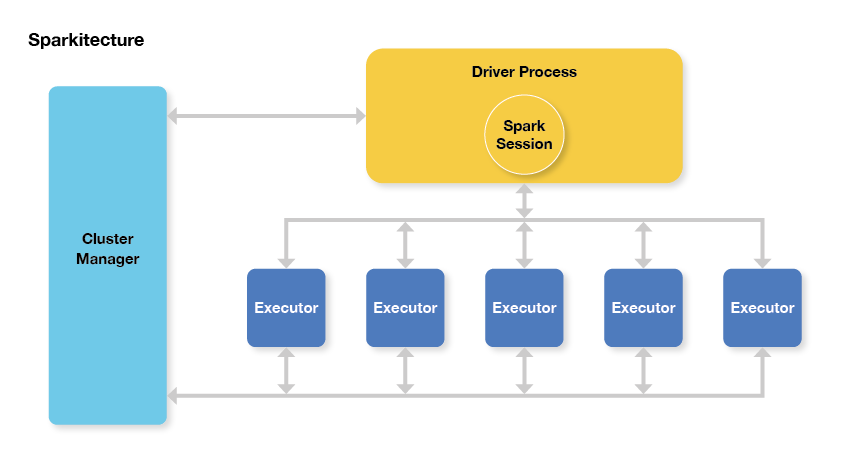 Sparkitecture diagram – the Spark application is the Driver Process, and the job is split up across executors.
